
“No Location Found” and “Off Network” are two alerts that appear on smartphones and tracking services. They relate to location sharing, device connectivity, and network access. These phrases usually show up in apps like Find My, Google Maps sharing, or family tracking tools. Each message points to a different technical condition, and mixing them up can lead to confusion.
What “No Location Found” Means
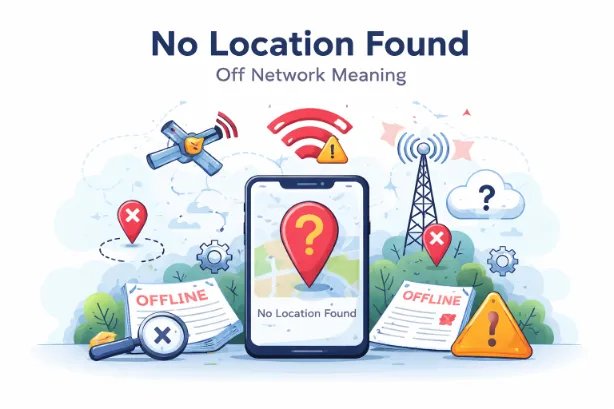
“No Location Found” appears when a device cannot provide its current position. The system tries to fetch GPS, Wi-Fi, or mobile data signals but fails to get accurate coordinates.
Reasons:
- The device is switched off
- No internet connection (Wi-Fi or mobile data disabled)
- GPS or location services turned off
- Airplane mode enabled
- The device has no signal coverage
- Date and time settings are incorrect
- App permissions for location access are denied
This message focuses on location data failure, not necessarily network absence.
What “Off Network” Means
“Off Network” appears when a device has lost connection to the cellular or Wi-Fi network. The system cannot communicate with the device at all.
Typical causes:
- SIM card removed or damaged
- No cellular coverage in the area
- Device switched off or battery drained
- Network outage from service provider
- Device placed in airplane mode
- Software or firmware issue
This message points to network connectivity loss, meaning the device cannot send or receive any data.
Core Difference Between Both Messages
| Feature | No Location Found | Off Network |
|---|---|---|
| Main issue | Location data unavailable | Network connection lost |
| Internet required | Yes | Yes |
| Device status | May be on | May be off or disconnected |
| GPS role | Central | Secondary |
| Communication possible | Sometimes | No |
| Appears in tracking apps | Yes | Yes |
How Location Tracking Works
To grasp these messages, it helps to know how tracking functions operate. Devices rely on three main technologies:
- GPS satellites: Provide precise coordinates
- Wi-Fi networks: Help refine indoor positioning
- Cell towers: Approximate location through triangulation
A failure in any of these layers leads to errors.
Situations That Trigger “No Location Found”
1. GPS Signal Blocked
Tall buildings, tunnels, or underground areas block satellite signals. This prevents accurate positioning.
2. Disabled Location Services
Users may turn off location access in device settings. Apps then cannot retrieve coordinates.
3. Weak Internet Connection
Even with GPS active, some apps require internet access to display location on maps.
4. Software Glitches
Temporary bugs in apps or operating systems may interrupt location fetching.
5. Privacy Restrictions
Permissions denied for tracking apps stop them from accessing device location.
Situations That Trigger “Off Network”
1. Device Powered Off
A switched-off device cannot connect to any network.
2. No Signal Area
Remote areas, mountains, or underground zones lack cellular coverage.
3. SIM Card Issues
A faulty or missing SIM prevents network registration.
4. Airplane Mode Enabled
This setting disables all wireless communication.
5. Network Outage
Service provider disruptions can disconnect devices from the network.
Practical Examples
- A phone inside a basement parking area may show No Location Found due to GPS blockage.
- A phone with a dead battery will show Off Network since it cannot connect at all.
- A phone with Wi-Fi turned off but still powered on may show either message depending on app behavior.
How to Fix “No Location Found”
Try these steps:
- Turn on Location Services
- Enable Wi-Fi or mobile data
- Restart the device
- Check app permissions for location access
- Update the app or operating system
- Set correct date and time
- Move to an open area for better GPS signal
How to Fix “Off Network”
Follow these solutions:
- Turn the device back on
- Disable airplane mode
- Check SIM card placement
- Move to an area with better signal
- Restart the device
- Contact the service provider for outages
- Reset network settings
Why These Messages Matter
These alerts play a role in:
- Family tracking apps
- Lost phone recovery
- Child safety monitoring
- Location sharing among friends
Misreading them can lead to wrong assumptions. For example, “No Location Found” does not always mean the device is off. It may still be active but unable to share its position.
Tips to Avoid These Issues
- Keep location services enabled for tracking apps
- Maintain sufficient battery levels
- Use reliable network providers
- Regularly update apps and system software
- Avoid disabling permissions for essential apps
Advanced Insight: GPS vs Network Dependency
Location tracking depends on both hardware (GPS chip) and network communication. A working GPS alone cannot share data without internet access. Similarly, a strong network connection cannot replace GPS for precise positioning.
This dual dependency explains why two different messages exist.
Privacy Angle
Some users intentionally disable location or network access for privacy reasons. This leads to these messages appearing frequently.
Privacy-related triggers:
- Location permission denied
- Background app refresh disabled
- VPN interference
- Restricted app access
Real-World Use Cases
Lost Phone Scenario
- “No Location Found” → Phone might be on but cannot share location
- “Off Network” → Phone likely off or unreachable
Family Tracking
Parents monitoring a child’s phone may see these alerts. Each message requires a different response.
Travel Situations
International roaming issues may trigger “Off Network” due to lack of carrier support.
What does “No Location Found” mean on iPhone?
It shows that the device cannot share its current position due to GPS or connectivity issues.
Does “Off Network” mean the phone is dead?
In many cases, yes. It may also mean no signal or airplane mode is active.
Can someone hide their location to show these messages?
Yes. Turning off location services or network access can trigger these alerts.
Which message is more serious?
“Off Network” usually signals a complete loss of communication, so it raises more concern.
Can both messages appear at the same time?
Some apps may switch between them depending on device status and connectivity.